

Building a budget gaming PC is one of the most exciting yet challenging projects for gamers. With the right components, you can create a powerful machine for less than $500 that handles the latest games smoothly. But where do you begin? What parts should you focus on for optimal performance? In this guide, we’ll walk you through every step to ensure you get the best value for your budget. Whether you’re a first-time builder or someone looking to upgrade, this article will provide everything you need to know.
What Are the Benefits of Building a Budget Gaming PC?
Building a gaming PC under $500 allows you to customize your system for better performance than pre-built machines in the same price range. Here’s why:
- Better Performance: A custom build typically offers more power and a smoother gaming experience than a pre-built system.
- Customization: Choose the components that suit your gaming style and preferences.
- Upgradability: As your gaming needs grow, you can easily upgrade your components without replacing the entire system.
- Cost-Effectiveness: You get more bang for your buck compared to pre-built alternatives.
How Do You Choose the Right Components for a Budget Gaming PC?
The key components for a gaming PC are the CPU, GPU, RAM, storage, and motherboard. Here’s a breakdown:
1. CPU (Processor)
The CPU is the brain of your computer, and for gaming under $500, you’ll want something with decent performance without breaking the bank. For the best value, consider AMD Ryzen 3 3200G or Intel Core i3-12100F. These processors provide enough power for most modern games while being affordable.
2. GPU (Graphics Card)
The GPU is the heart of your gaming experience. For a budget PC, go with something like the NVIDIA GTX 1650 or AMD Radeon RX 6500 XT. These graphics cards offer good performance for 1080p gaming at medium settings.
3. RAM (Memory)
8GB of DDR4 RAM is the minimum for gaming in 2026. Aim for at least 16GB if you can stretch your budget. Look for brands like Corsair or G.Skill for affordable and reliable options.
4. Storage
A combination of an SSD for speed and a larger HDD for extra storage is ideal. A 240GB SSD and a 1TB HDD should suffice for most gamers.
5. Motherboard
For your budget build, a motherboard with AM4 (for AMD) or LGA 1200 (for Intel) is the best option. Ensure that it supports all the components you’re using and has the necessary ports for future upgrades.
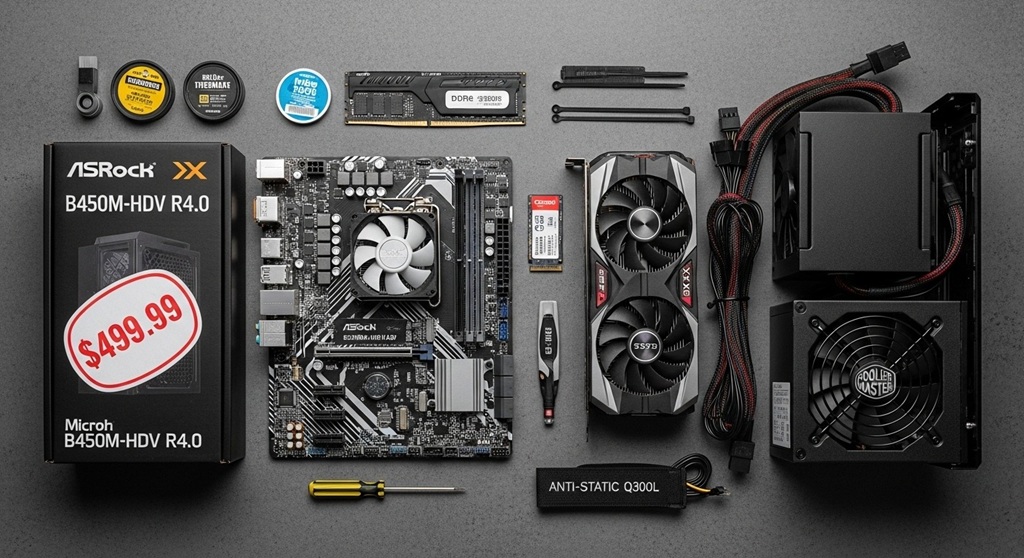
What Are Some Budget Gaming PC Builds Under $500?
Here are two excellent builds that will fit under the $500 budget:
AMD Ryzen Budget Build
- CPU: AMD Ryzen 3 3200G – $95
- GPU: Integrated Vega 8 Graphics (saves on cost) – Free
- RAM: 8GB DDR4 – $35
- Storage: 240GB SSD – $30
- Motherboard: ASRock B450M – $55
- Case: Cooler Master MasterBox Q300L – $60
- Power Supply: EVGA 400W – $35
Total: $310
Intel Core Budget Build
- CPU: Intel Core i3-12100F – $110
- GPU: NVIDIA GTX 1650 – $150
- RAM: 8GB DDR4 – $35
- Storage: 240GB SSD – $30
- Motherboard: MSI B460M – $60
- Case: Cooler Master MasterBox Q300L – $60
- Power Supply: EVGA 400W – $35
Total: $480
How Can You Optimize Your Budget Gaming PC for Better Performance?
After building your gaming PC, here’s how you can further optimize it:
- Overclock the GPU: Many budget GPUs allow for mild overclocking, which can improve gaming performance without additional cost.
- Upgrade RAM: If you have room in your budget, consider upgrading to 16GB of RAM for better multitasking and game performance.
- Improve Cooling: Adding extra cooling can help maintain your PC’s performance, especially during long gaming sessions. A budget-friendly CPU cooler or better case airflow can make a significant difference.
- Regular Maintenance: Keep your drivers and software up to date, clean out dust, and monitor the temperatures to keep everything running smoothly.
What Are the Common Mistakes to Avoid When Building a Budget Gaming PC?
Even when working with a budget, you should avoid these common mistakes:
- Skipping Compatibility Checks: Always verify that your parts are compatible with each other. Use PCPartPicker to check compatibility easily.
- Choosing the Cheapest PSU: A low-quality power supply can cause system instability and even damage components. Don’t skimp on this vital part.
- Overlooking Future Upgrades: Make sure your motherboard supports future upgrades like additional RAM or newer processors.
- Not Enough Storage: 240GB may sound like enough, but modern games can be over 100GB each. Plan ahead for future storage needs.
Conclusion
Building a budget gaming PC under $500 in 2026 is completely achievable, and it doesn’t have to mean sacrificing performance. With the right components and careful planning, you can create a machine that provides an excellent gaming experience at a fraction of the cost of pre-built systems. Follow the guide above, avoid common mistakes, and enjoy your custom-built gaming rig. Don’t forget to upgrade as your gaming needs grow, and always keep an eye out for deals on parts to get even more value!
Call to Action: Ready to build your own PC? Check out our step-by-step tutorials on how to assemble your budget gaming PC, or subscribe for more tips and tricks on optimizing your build.
FAQ
1. Can I build a gaming PC under $500?
Yes, building a gaming PC under $500 is definitely possible. With the right parts, such as the AMD Ryzen 3 3200G or Intel Core i3-12100F and an entry-level GPU, you can achieve solid 1080p gaming performance.
2. What is the best CPU for a budget gaming PC under $500?
The AMD Ryzen 3 3200G and Intel Core i3-12100F are excellent choices for budget gaming PCs. They offer solid performance for gaming and multitasking without breaking the bank.
3. How much RAM do I need for a budget gaming PC?
For budget builds, 8GB of DDR4 RAM is the minimum. However, if your budget allows, 16GB is highly recommended for a smoother experience in modern games.
4. What’s the best GPU for a budget gaming PC under $500?
The NVIDIA GTX 1650 and AMD Radeon RX 6500 XT are great budget-friendly GPUs that can handle most modern games at 1080p with medium settings.
5. Can I upgrade my budget gaming PC later?
Yes, one of the advantages of building your own PC is the ability to upgrade. You can replace components like RAM, GPU, or even the CPU as your gaming needs evolve.
6. How can I optimize my budget gaming PC for better performance?
You can optimize your gaming PC by overclocking your GPU, upgrading RAM, improving cooling, and maintaining your system regularly.
7. What common mistakes should I avoid when building a budget gaming PC?
Avoid skipping compatibility checks, choosing low-quality power supplies, and overlooking future upgrades when building your budget PC.
Read More Also: Why 2025 Is a Massive Year for New Open World Action-Adventure Games
Find out: Open World Action-Adventure PC Games You Can’t Skip


